Blog
Signing up for an event as a player
New to AlbionZVZ event links? Here is how to join a ZvZ signup, pick your build, and find your party assignment on the shared roster.
You clicked a Discord Sign up button or a guildmate sent you an /e/… link. This guide walks through what happens on the web — no officer jargon, just what you need to show up on the right build in the right party.
Do you need an account?
Often yes for signing up, but no for viewing the roster. Public event pages let callers see parties without logging in. To add yourself to the sheet you usually need to:
- Log in (Discord OAuth is typical).
- Be a member of the guild workspace — join via
/registerin Discord or an invite from an officer.
If signup is blocked, ask recruitment whether the guild requires a linked Albion character or beta access.
Step 1: Open the event link
From Discord, tap Sign up on the CTA embed. You land on the event page with the title, start time, and comp requirements at the top.
Bookmark the URL if you mass with the same guild weekly — it stays valid until the event is archived.
Step 2: Choose your build
The signup flow shows builds your officers tagged for this comp. Pick the one you actually bring to mass. If you are unsure, ask in Discord before locking — swapping later creates work for party leads.
After you confirm, you appear in the unassigned or auto-assigned pool depending on guild settings.
Step 3: Find your party
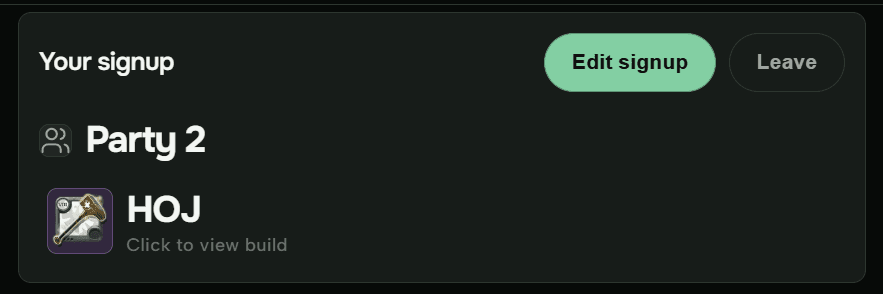
Officers drag players into parties on their dashboard. Refresh the event page (or wait for live updates) to see your party name and slot. Shot callers use the same view — if you are “HIDDEN” until assignment, that is a guild privacy setting for members who are not staff.
Tentative signups
Some guilds allow tentative attendance. Use it when you might be late from work or another timer — officers can count maybes separately from hard yeses. Check the signup UI for a tentative toggle; not every guild enables it.
Tips for fight night
- Update early if you cannot make it — officers re-balance parties from the signup sheet.
- Match your build to what you signed up for; regear officers use signup data for payouts.
- Join voice through your guild’s usual channel; the web roster does not replace comms.
Full screenshots and edge cases (open rally, auto-signup builds) live in the help doc: Signing up for events.
Need help?
Ask your shot caller or recruitment first — they know guild-specific rules. For site bugs or access issues, contact us with the event link and your Discord name.